Your front desk has a clipboard problem
Someone walks in for an intro class. Now your front desk stops. Find the waiver, hand over a pen, wait, squint at the handwriting, type the email into your system, chase down the $25 fee, file the paper somewhere it will never be found again. Multiply that by every walk-in, every day.
Power Forms kills the clipboard. One reusable signing link, printed as a QR code, taped to your counter. Every walk-in signs your document and pays your fee on their own phone while your staff does literally anything else.
What a Power Form is
A Power Form is one public link tied to one of your templates. It works in three steps:
- Someone scans your QR code and enters their name and email.
- GSD mints a fresh envelope from your template, just for them, and drops them straight into signing.
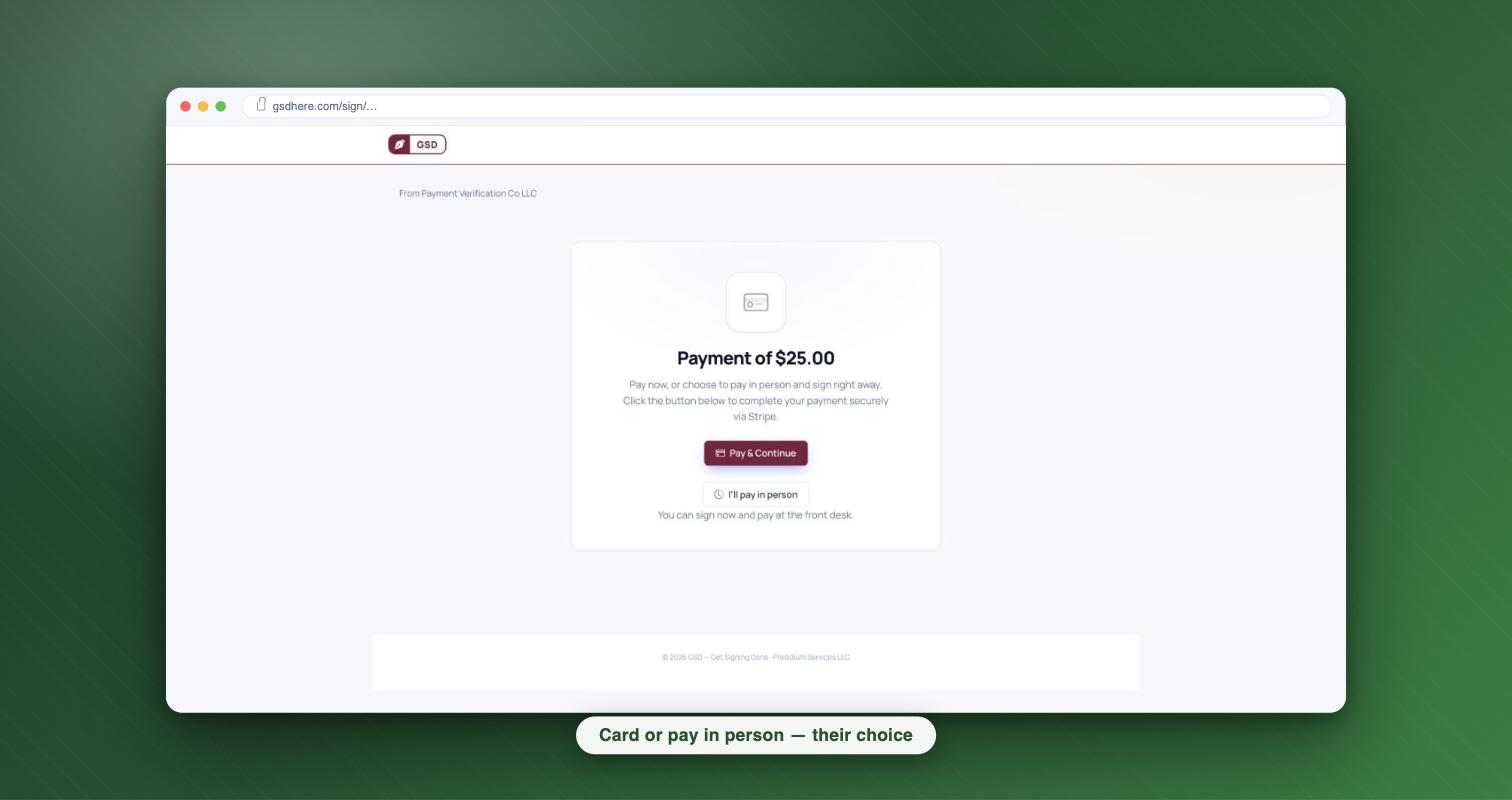
- They sign and pay. If the template has a fee, they pay by card right there, or tap "I'll pay in person."
You never send anything. Nobody on your staff touches it. Each signer gets their own envelope with the full e-sign consent flow, a complete audit trail, and a signed certificate. This is not a shared PDF with a hundred signatures piled on it. It's a real, separate document per person, generated through a signing flow designed to meet ESIGN/UETA requirements.
Set this up on your own template →
Set it up in five minutes
1. Start with a template
Power Forms run on templates. If you already have your waiver or intake form as a template, you're most of the way there. If not, upload the PDF once, place your signature and text fields, and save.
2. Set the fee on the Payment tab
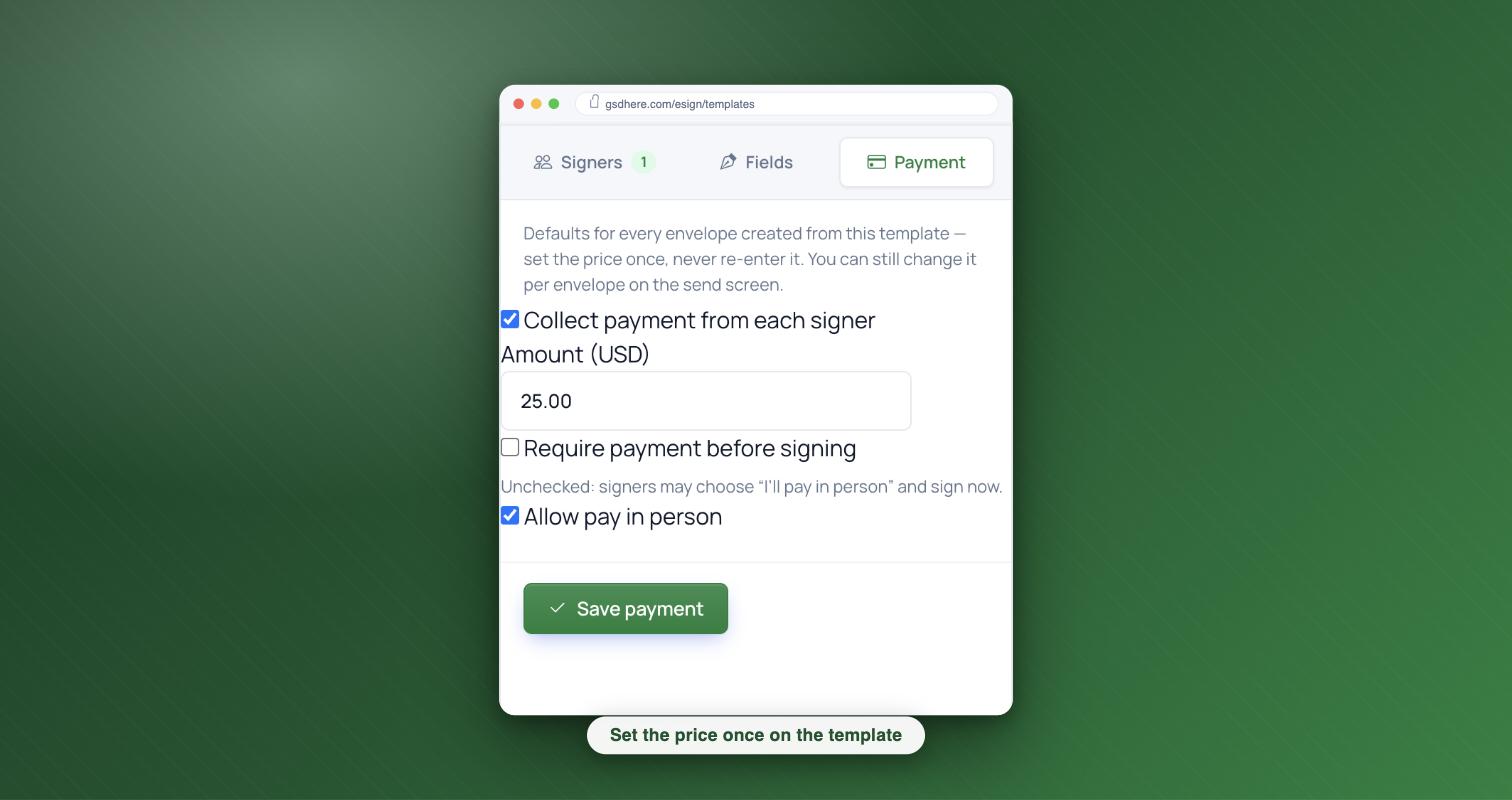
Open your template and click the Payment tab, right next to Signers and Fields. Check "Collect payment from each signer," type the amount (say, 25.00 for your intro class), and save. Two more choices live here:
- Require payment before signing — card first, signature second.
- Allow pay in person — lets signers tap "I'll pay in person" and settle up at the desk.
Set the price once and every envelope minted from this template carries it. No re-entering, ever. And if your template doesn't charge anything, skip this tab entirely — nothing changes for you.
3. Create the link and print the QR
Go to Power Forms, give your link a name ("Front Desk Waiver"), pick the template, and create it. GSD hands you the public link and a ready-made QR code. Print it, frame it, tape it to the counter. That one code serves every walk-in from now on. If you ever need to shut it off, deactivate the form and the link stops working immediately.
What the walk-in sees
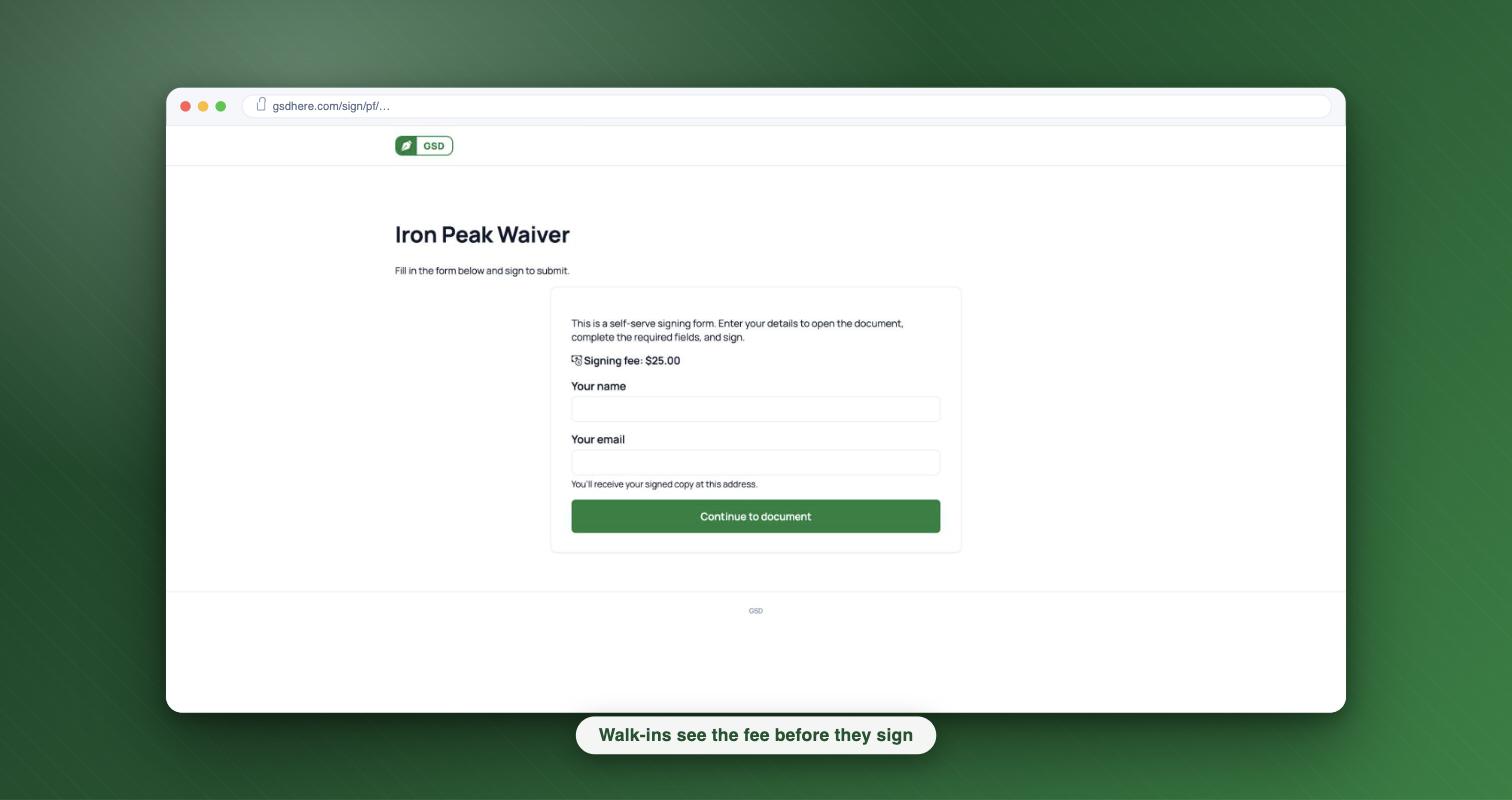
They scan the code and land on a clean page: your form's name, two fields (name and email), and — if there's a fee — the price stated right up front, before they type a thing. No surprise charges after they've signed.
They tap through to their own copy of your document, review it, fill their fields, and sign. Then the payment step: pay by card in a couple of taps, or one tap on "I'll pay in person."
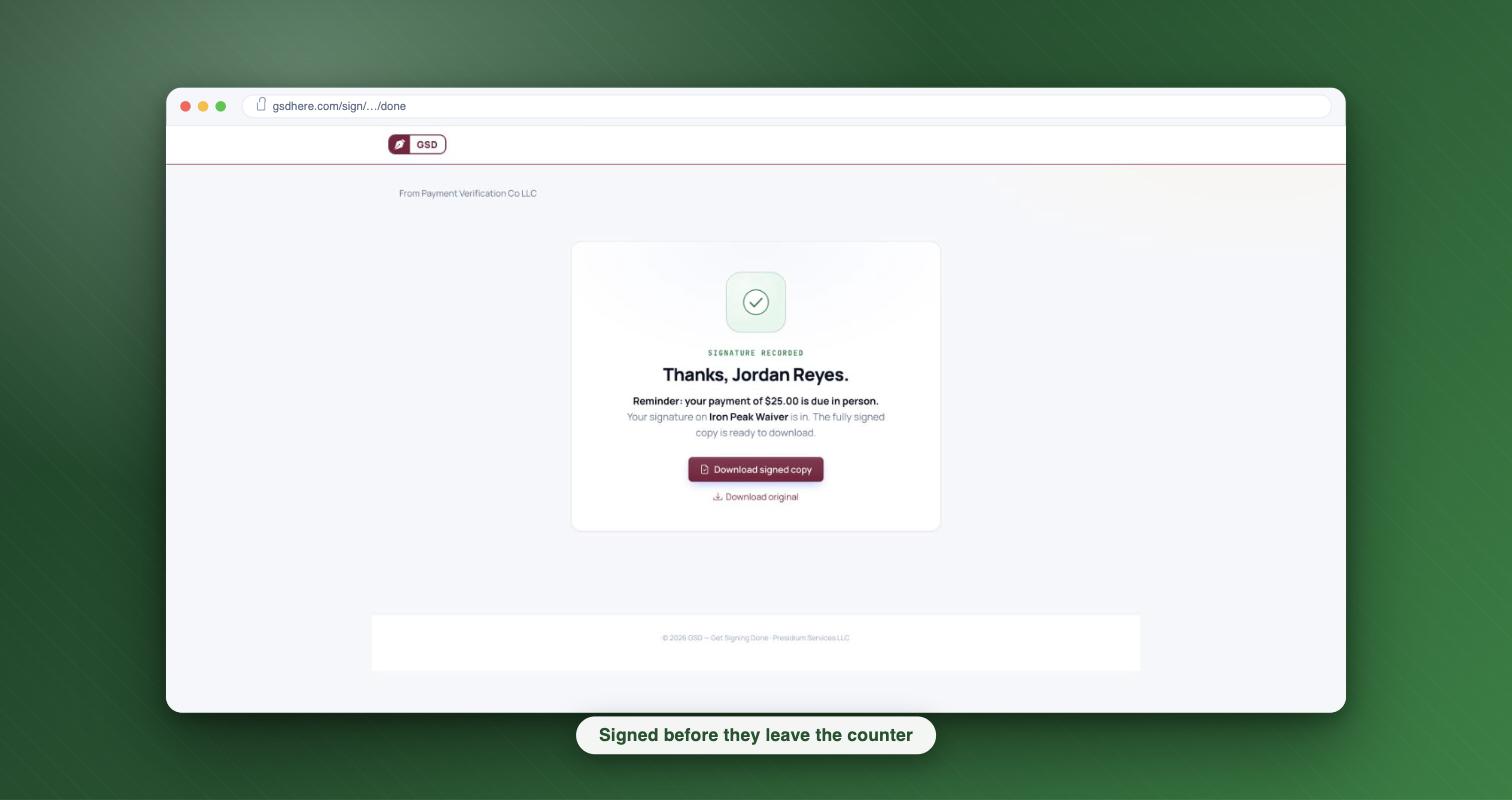
Done. They get their signed copy, you get a completed envelope in your dashboard with the full audit trail and certificate attached.
The Owes tally: never lose track of cash folks
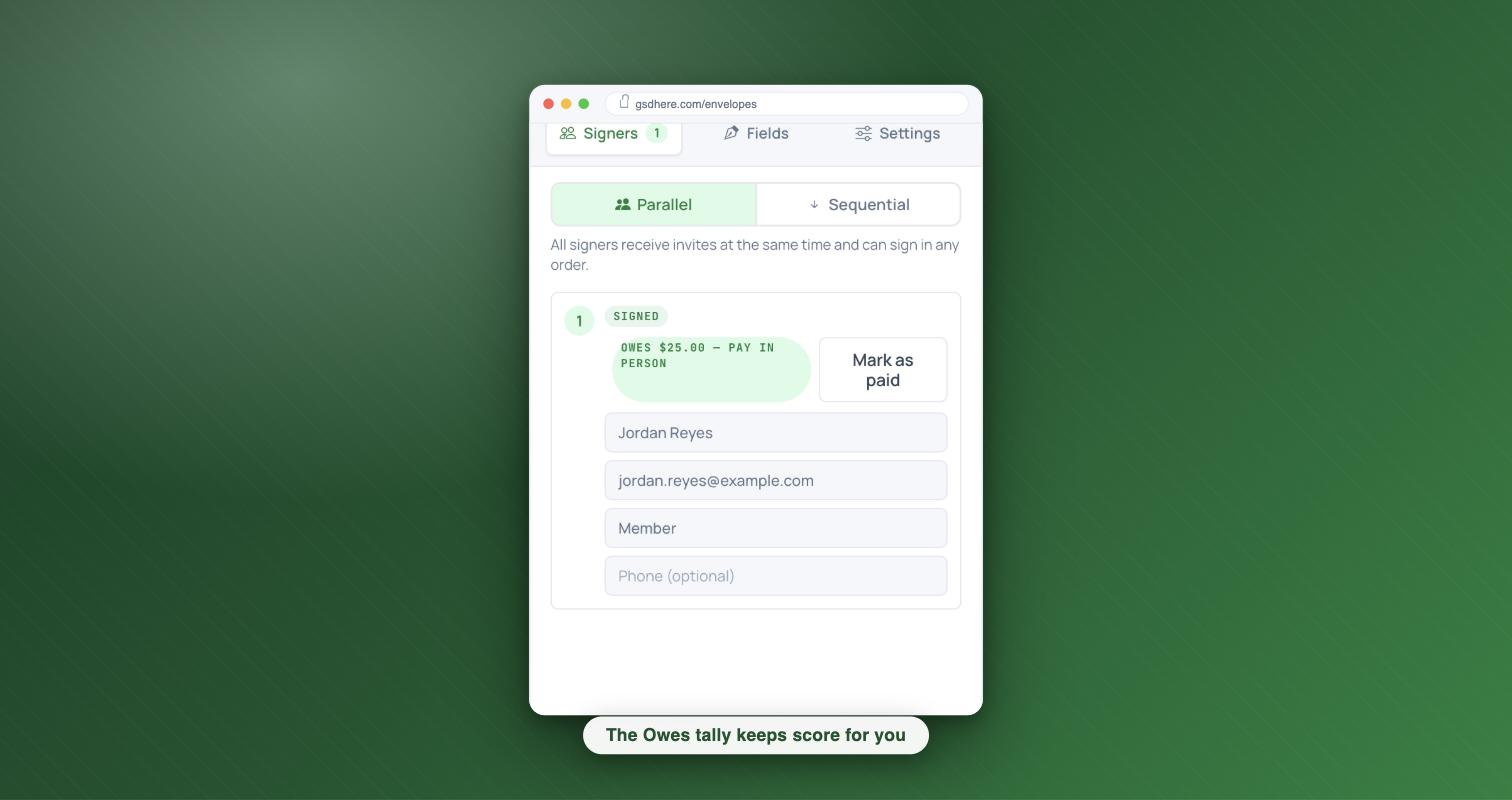
"I'll pay in person" is friendly, but only if you remember who said it. Everyone who picks it lands in your Owes tally — a running list of who owes what. When they hand you cash at the desk, mark it settled. No sticky notes, no "wait, did the Tuesday guy pay?" (The tally is just a record you keep — GSD never holds or guarantees the payment. Card payments go straight through Stripe to your account, and "pay in person" is simply a note until you mark it settled.)
What this costs you
Here's the pricing difference that matters for walk-in volume: GSD is pay-as-you-go — you pay a small amount per envelope, only when someone actually signs. No monthly subscription, no per-seat licenses, no paying for capacity you didn't use. A slow February costs you almost nothing. A packed January costs you exactly what it should.
Print one QR code. Retire the clipboard. See what your envelopes would cost — you'll do the math faster than a walk-in signs a waiver.
Ready to get signing done? Start free with 5 documents a month and no credit card, or browse the e-signature guides.